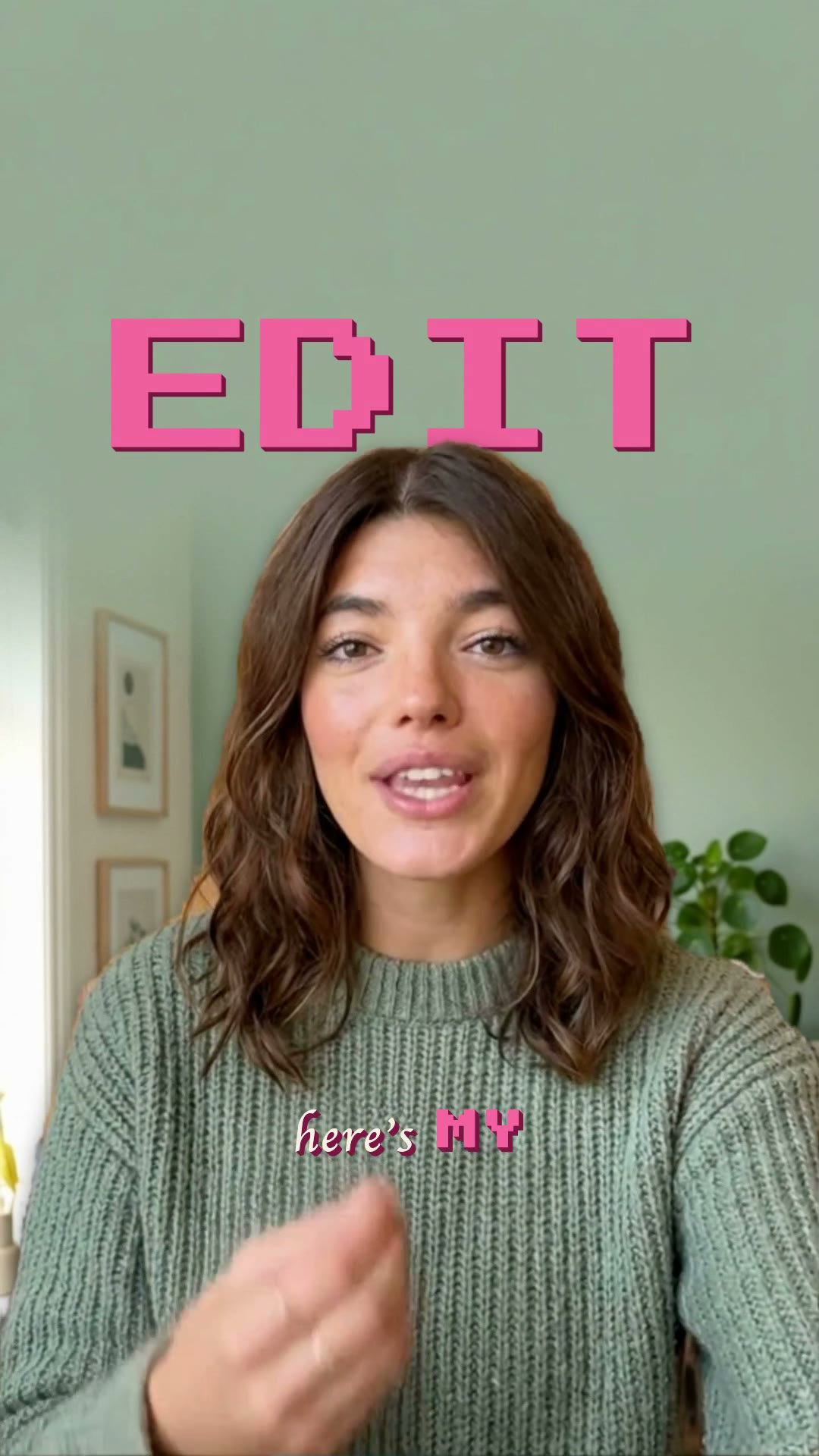
Text passing behind the speaker is the single most copied short-form look of the last two years, and the reason is not fashion — it’s that occlusion is the strongest depth cue the visual system has. A word your head crosses in front of stops being an overlay and starts being an object in the room. Here is what the effect actually requires, the two ways to make it, and when it’s the wrong choice.
What the effect actually is
Three layers, in this order, on every single frame:
- The video, as the background.
- The text.
- A cutout of the person — the same frame with everything except them made transparent.
Layer three is the entire difficulty. It’s called a matte, and it has to be recomputed for every frame, because the person moves. Get it slightly wrong and you get the two tell-tale failures: a halo of background clinging to the silhouette, or edges that crawl and shimmer as the mask jitters frame to frame.
Method 1 — By hand
In a desktop editor, the classic route is to duplicate your clip, remove the background from the top copy so only the person remains, and sandwich your text layer between the two. Then you fix the mask wherever the automatic removal got it wrong — which, on moving footage, is continuously.
Practical limits:
- Static shots only, realistically. If the subject barely moves, one mask can carry several seconds. If they gesture, walk or turn, you’re correcting frame by frame.
- Hair is the hard case. Fine strands against a detailed background are what separate a professional roto job from a cut-out-with-scissors look.
- It doesn’t scale. One hero shot, fine. Every post, no.
Method 2 — Automatic matting
The other route is to compute the matte with a segmentation model for every frame, and let the layout engine decide where the word goes. That turns a rotoscoping job into a choice of template — but it introduces a second problem people don’t anticipate: where should the word sit?
Put a word dead centre behind a person who fills the frame and it disappears. Put it too far off and there’s no occlusion, which means no depth, which means you’ve just made an overlay in a fancy font. What you want is a partial tuck: enough of the word hidden to read as depth, enough visible to read as words.
In Moonshot this is solved rather than guessed — the placement engine searches position and size against the actual silhouette over time, aims for a target occlusion band, grows the lockup until it brackets the body, and flips the word in front when there’s no position that works. The engineering behind the matte itself — a small segmenter in the browser for instant preview, a recurrent network on GPUs for export — is in Text behind your head.
Making it look intentional rather than trendy
- One word, not a sentence. The effect is a lockup, not a subtitle track. Behind-the-subject text works on a label, a number, a single loaded noun. Put the running transcript in front where it belongs.
- Big enough to survive the tuck. A small word behind a person is a hidden word. These lockups want to be large — often frame-width — precisely because a third of them is going to be covered.
- Contrast against the background, not the person. The visible parts of the word are the parts next to the subject, so it’s the wall behind them that decides legibility.
- Don’t animate it much. The depth illusion depends on the word behaving like a physical object in the scene. Objects don’t bounce.
- Let it linger. A word that flashes for 300 ms never gets to be occluded, which is the whole point. Give it a beat.
When to skip it
- The subject fills the frame. Nothing to sit behind means nothing legible.
- Busy background. Occlusion reads as depth only if the word reads at all.
- Every clip. It’s an emphasis device. Used on every post it becomes the wallpaper it was designed to escape.
Quick answers
How do you put text behind a person in a video?
The text sits on a layer between the background and a per-frame cutout of the person. That cutout — a matte — is the whole job: by hand it means rotoscoping or frame-by-frame masking, and automatically it means a segmentation model computing the person's silhouette for every frame.
Can you do text behind the subject in CapCut?
You can approximate it for a still or a short static shot using the cutout/remove-background tool on a duplicated clip, stacking text between the two copies. It works when the subject barely moves. It falls apart on real motion because you'd need the cutout to stay accurate for every frame, which is exactly what the manual method can't give you.
Why does text behind the subject work so well?
Occlusion is the strongest depth cue human vision has. When a head passes in front of a word, your visual system concludes the word is in the room rather than drawn on the screen — and in-world text doesn't get filtered the way overlay text does after years of training on feeds.
Does it work on any footage?
It works best when there's usable separation between the subject and the background and the person doesn't fill the entire frame. Hair against a busy background is the classic hard case. When a word can't sit behind the subject without being buried, the right move is to bring it in front rather than ship something unreadable.
Get the effect without rotoscoping
Pick a behind-the-subject template and Moonshot computes the person matte, places the word so it tucks without burying, and renders it — no masking, no keyframes.
Open Moonshot free