Every tool in this category demos the same way: a dramatic scene, a huge headline, an arrow. They look interchangeable in a gallery and behave nothing alike on your own video. Rather than a leaderboard that will be stale in a month, here are the five questions that actually separate them — and what a good answer looks like.
1. Does it put you in the picture?
This is the dividing line in the whole category. There are two very different products wearing the same label:
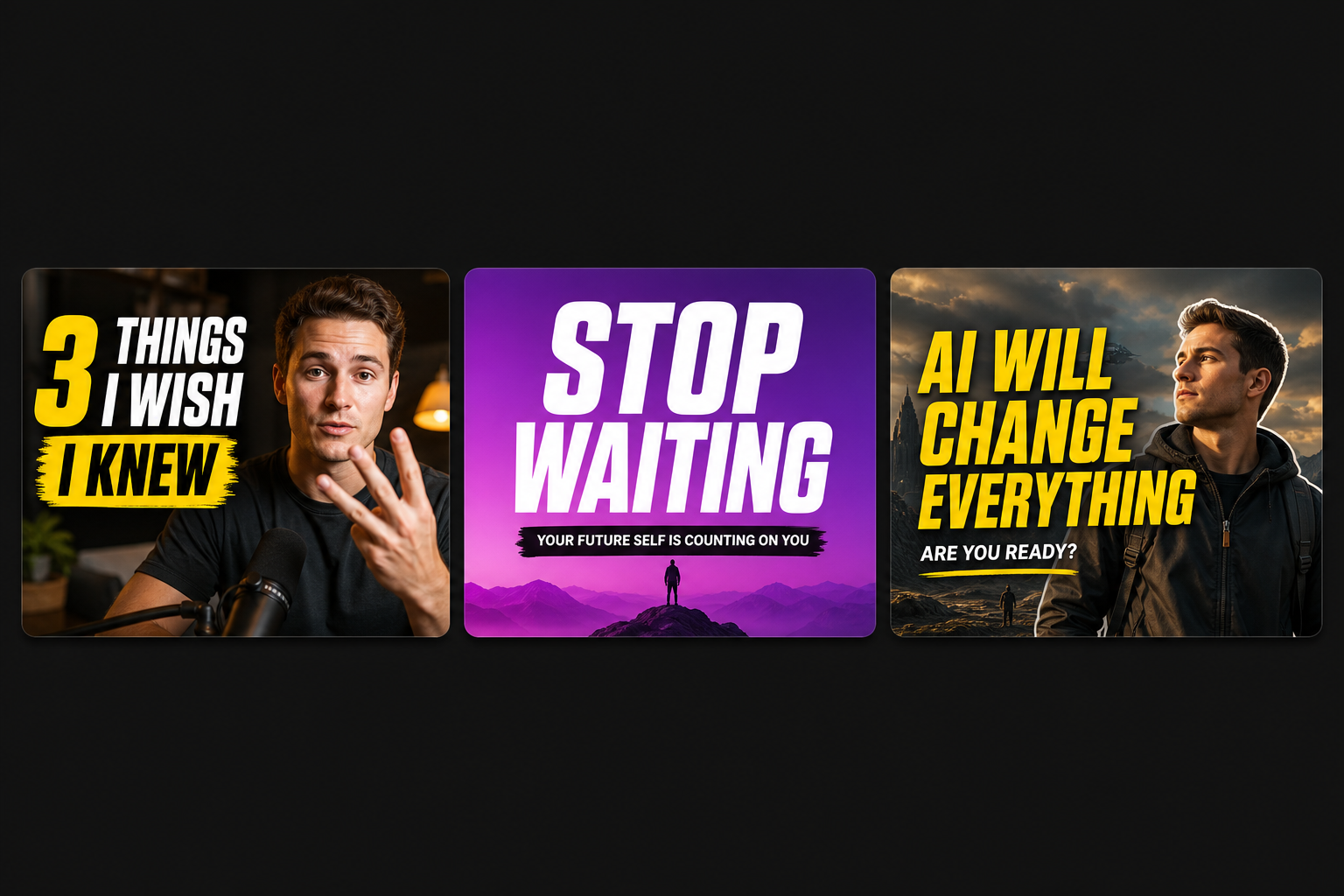
- Prompt-to-image with text on top. You describe a scene, it generates art, your title is overlaid. The output is competent and generic — it could illustrate anyone’s video on the topic.
- Video-to-thumbnail. The tool reads your clip, finds the strongest frames of you (eyes open, expression intact), cuts you out, and composites you into the scene. The result is unmistakably your video.
Faces are found by the visual system before anything else in a frame, and a viewer scrolling their subscriptions is looking for a person they recognise. A thumbnail without you in it is throwing that away.
2. Is there a free path that doesn’t involve image generation?
Generating a scene costs compute, which is why most tools meter it. But a large share of the thumbnails you need don’t require generation at all — a well-chosen frame with a big headline is often the better image anyway, particularly for vertical covers where the viewer expects the still to come from the video.
A tool that offers only the expensive path is charging you for the wrong half of the job. Look for a frame-grab mode: vision picks the strongest real frames, you drop a headline on, done.
3. Does it write headlines from the video, or from the filename?
The headline is most of the thumbnail. There are three tiers of how tools produce it:
- You type it. Fine, and every tool should support it — but it’s not the feature.
- Generated from the title you gave. Rephrasing what you already wrote, which mostly produces synonyms.
- Generated from the transcript. The tool reads what you actually said and proposes lines drawn from the strongest moments in the clip. This is the one that produces headlines you wouldn’t have written, and the promise it makes is one the video keeps — because it came from the video.
4. Does it know about the crop?
A vertical cover gets centre-cropped to roughly 3:4 on an Instagram profile grid. A tool that composes a beautiful 9:16 image with the headline near the top has produced something that is invisible on your own profile — the highest-intent surface you have. Ask whether the tool keeps text inside the safe centre square. Most don’t, because most were built for 16:9 first.
The full set of bands and crops is in the safe zone guide.
5. Do you get variety, or one look repeated?
A single generated thumbnail isn’t much use — you can’t tell whether it works until you see it next to alternatives at thumbnail size. What you want is a batch spanning genuinely different registers (a realistic shot, a bold graphic treatment, a stylised scene), each with its own palette and camera angle, so you’re choosing rather than accepting.
The counter-pressure: your grid wants consistency. So the ideal is variety within a batch to choose from, and a repeatable look across posts once you’ve chosen.
The scorecard
| Question | Weak answer | Strong answer |
|---|---|---|
| Are you in it? | Generic generated art | Your frames, cut out and composited |
| Free path? | Generation or nothing | Free frame-grab mode alongside the AI one |
| Headlines | Rephrases your title | Drawn from the transcript |
| Crop awareness | 16:9 only, text anywhere | All three ratios, text in the safe centre |
| Variety | One image | A batch across distinct styles |
When not to generate a thumbnail at all
- Your footage is already striking. If the clip contains one genuinely arresting frame, use it. A generated scene competing with real footage usually loses.
- You’re building a recognisable grid. Consistency beats novelty on a profile. Pick a treatment and repeat it.
- The generated scene contradicts the video. A cinematic mountaintop on a clip filmed at a desk buys a click and loses the viewer in two seconds.
What Moonshot does
Both modes from one upload. Frame mode is free: vision ranks the real frames of you and you drop a headline onto one. AI scene mode cuts you out and composites you into twelve rendered scenes across cinematic, 3D, comic and neon registers, each with its own palette and angle. Headlines come from your transcript — the same model that drafts your opening hook — or you type your own and it’s baked into every variant. 16:9, 9:16 and 1:1, with the headline kept inside the safe centre.
Quick answers
What should an AI thumbnail generator actually do?
Put you in the picture. The test that separates the category is whether the tool works from your video — finding good frames of you, cutting you out, compositing you into the scene — or whether it just generates unrelated art with your title typed on it. The second kind produces images that could belong to anyone's video.
Is an AI-generated thumbnail better than a frame from the video?
Not automatically. A well-chosen frame with a bold headline beats a generated scene that doesn't look like your video. Generated scenes win when the footage itself is visually flat — a plain room, a screen recording — and you need production value the source doesn't contain.
What size should the thumbnail be?
16:9 at 1280 × 720 or larger for YouTube, 9:16 at 1080 × 1920 for Shorts and Reels, 1:1 for square feeds. For vertical covers, keep everything important inside the centre square — Instagram's grid centre-crops to roughly 3:4.
Do generated thumbnails get penalised by platforms?
There's no penalty for the image being generated. There is a real cost to a thumbnail that promises something the video doesn't deliver: you buy a click and an immediate exit, which reads worse to the system than never getting the click.
Test it against your own video
Upload a clip and get a batch of covers with your face in them and headlines pulled from what you actually said. The frame-grab mode is free.
Open the thumbnail maker